
Occasionally customers need to be merged outside of the duplicate customers task. This could be because a task was rejected or the customers information is too different to be auto merged.
Occasionally customers need to be merged outside of the duplicate customers task. This could be because a task was rejected or the customers information is too different to be auto merged.
To manually merge a customer you will find the original customer you require under the customer search tab:
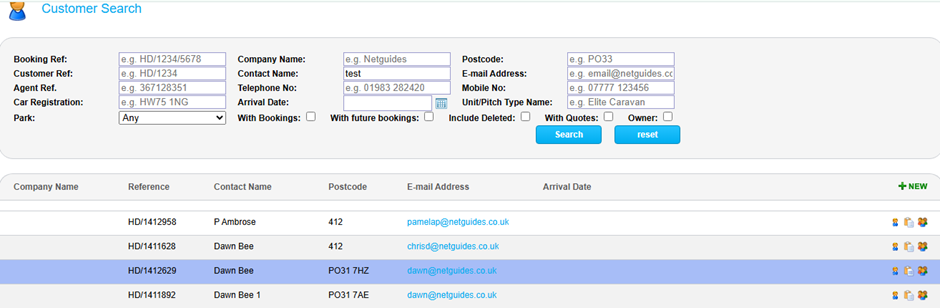
Click the customer icon on the right hand side to navigate to the customer summary page:
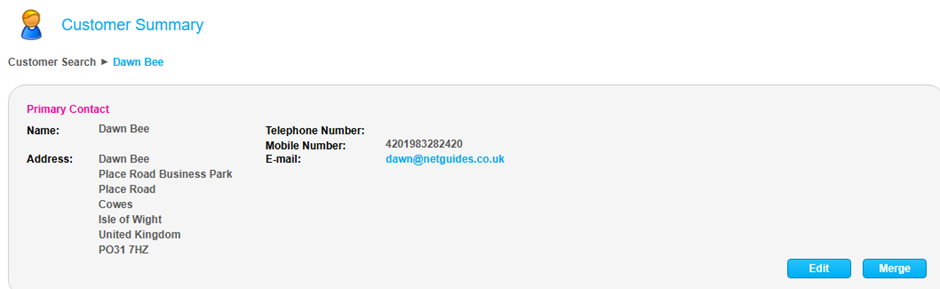
On the primary contact box you have a button to merge customers. When clicked you are taken to the page to manually merge customers:
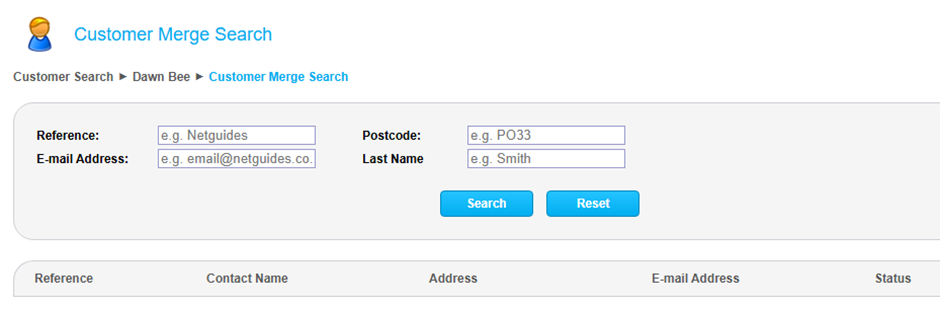
You can then search for the customer you are looking for using one of the merge search fields.
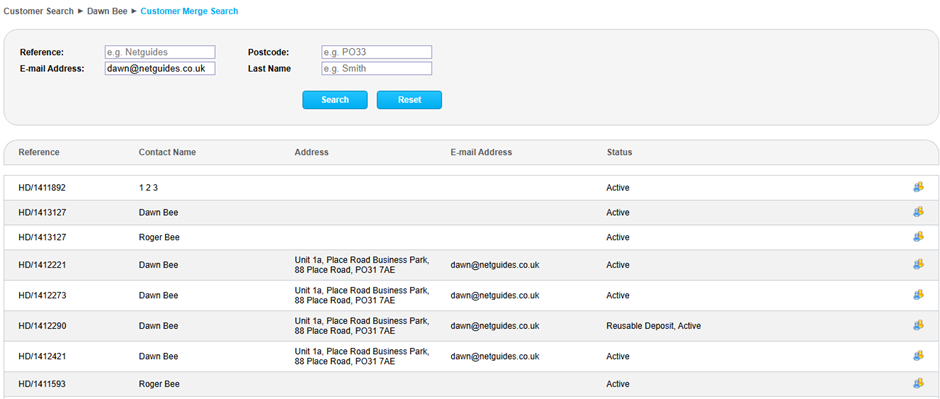
When you have the right customer in the search results listed below you can click the merge button and a pop up will appear.
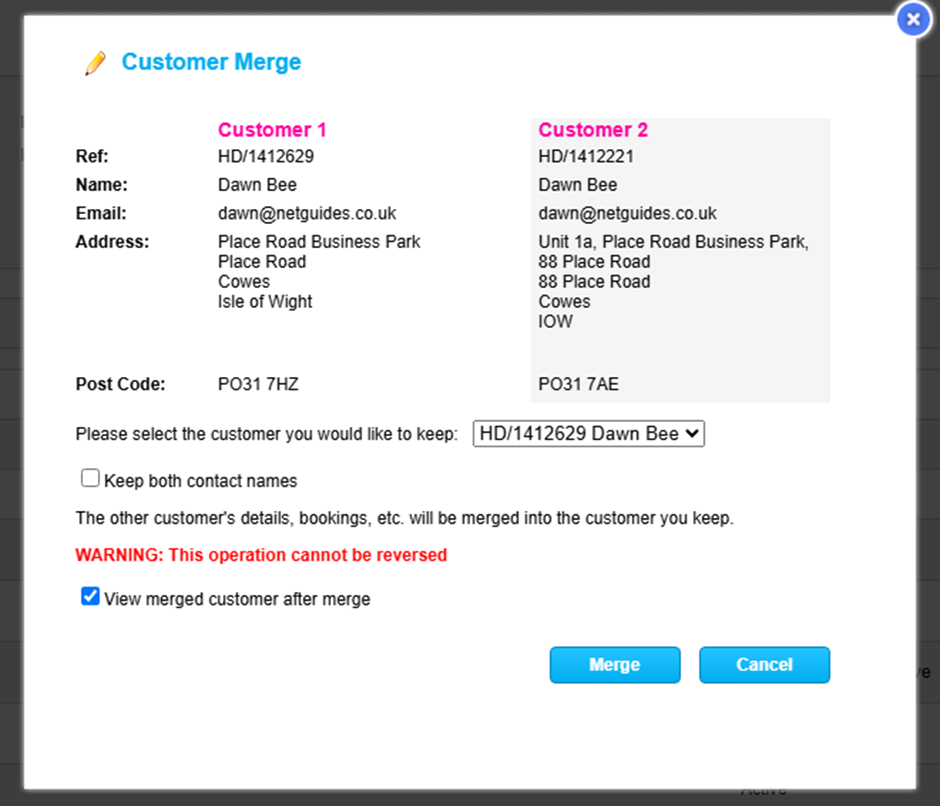
You can select whether to keep customer record 1 or 2 using the dropdown box that displays the customer reference and name.
When happy you click the merge button and this will manually merge the two customers together. The merge will take a few seconds to process and the merge button will become greyed out whilst it works.
Once completed you will be taken back to the customer summary page with the contact details now visible of the customer you selected to keep.
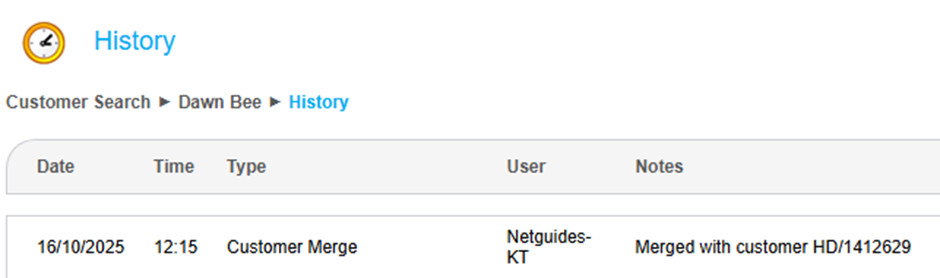
Under the history record you will then get an entry to indicate that a merge was completed on the customer record you kept:
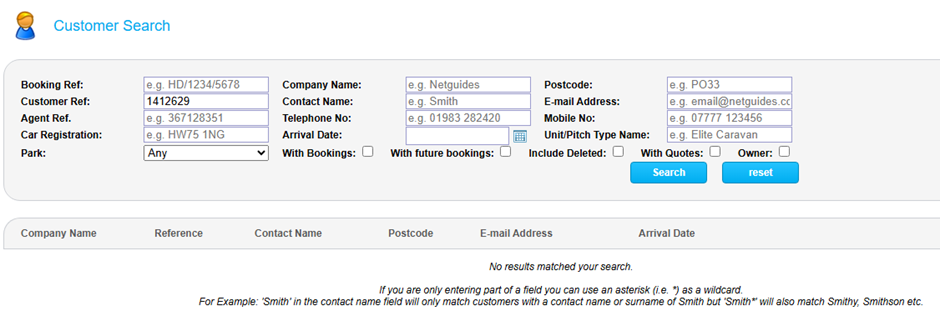
The old customer record becomes inactive and “deleted” so if searching for that customer record on the customer search page you will get no results:
If you need access to the deleted record again you can tick the box to include deleted and the original record will be produced:
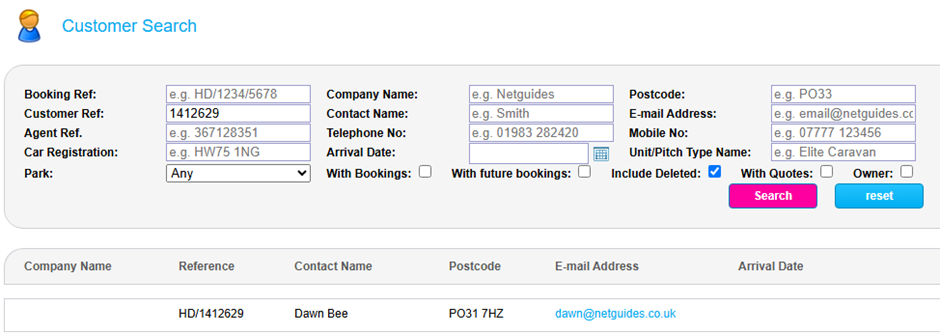
Note that this will not undo the merge and the customer will remain deleted.
You can complete as many merges as you like for each customer using this method.