To give us access to your booking.com account so we can help you connect it to GemaPark please use the following guide. When logged in please go to your profile icon > and scroll down to create and manage users:
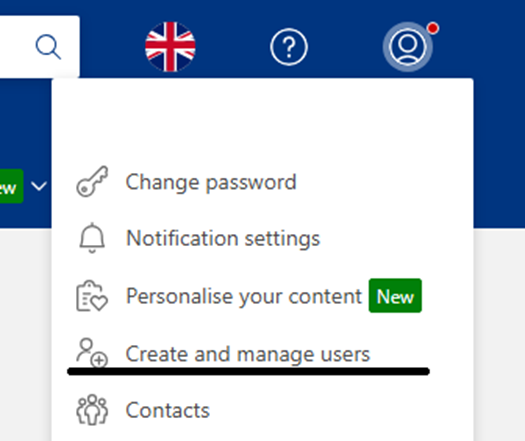
Please then select to add a user or invite a new user.
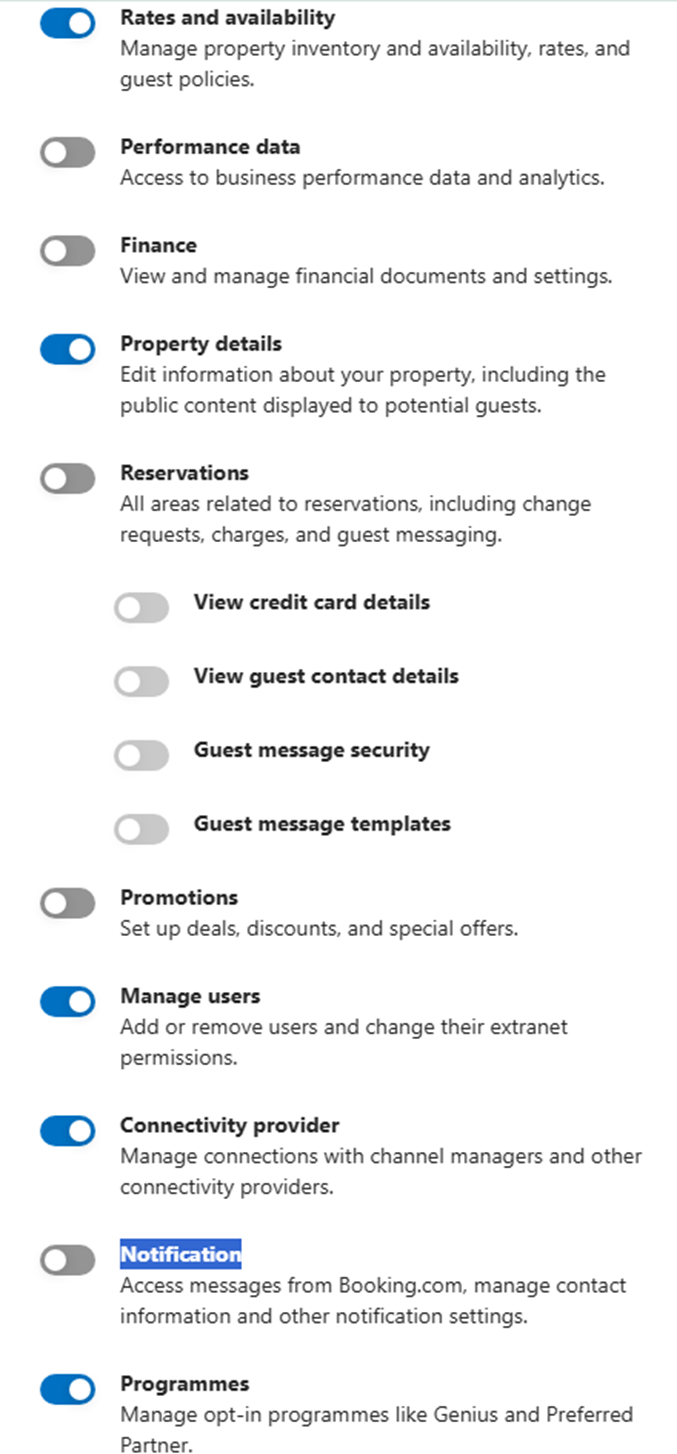
On the pop up please input:
Name: GemaPark Support
Email: techsupport@gemapark.co.uk
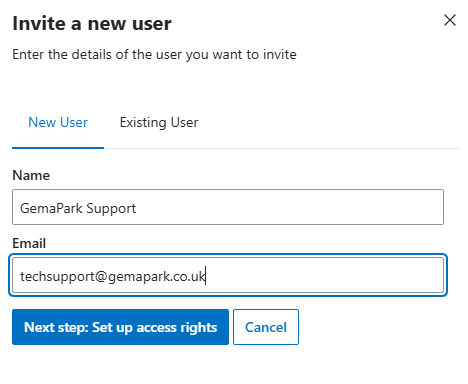
For the access rights you need to SWITCH OFF:
-
Performance data
-
Finance
-
Reservations
-
Promotions
-
Notification
Then press send invite!
Once done we can then access your account to continue the set up and the mappings of the plots to get you live on booking.com!